
| 1. Upon opening the app you will come to the Sign In screen. Click on Sign In. |  |
| 2. Enter a mobile phone number that is associated with your login. You will need access to the mobile device in order to enter the Two Factor Authentication (2FA) passcode. *If you are using an email address to login, skip this step and proceed to the next step. Click Continue. | 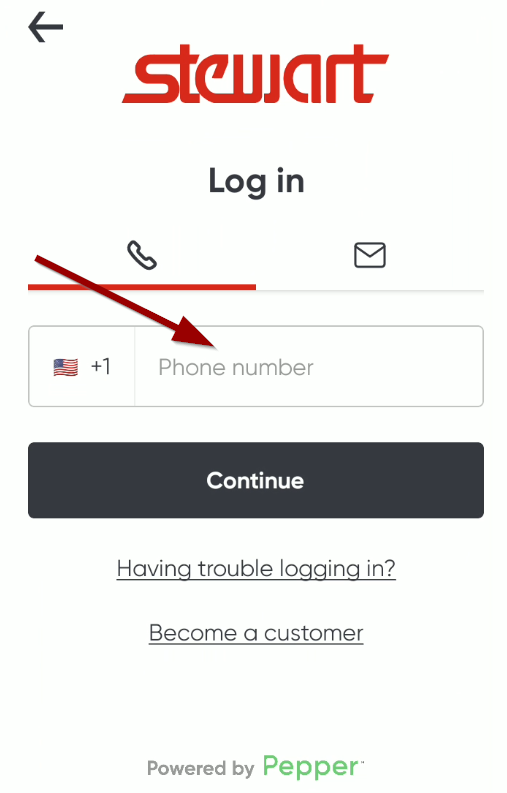 |
| 3. Enter a email address that is associated with your login. You will need access to the email inbox in order to enter the Two Factor Authentication (2FA) passcode. *If you are using an mobile phone to login, skip this step and proceed to the next step. Click Continue. | 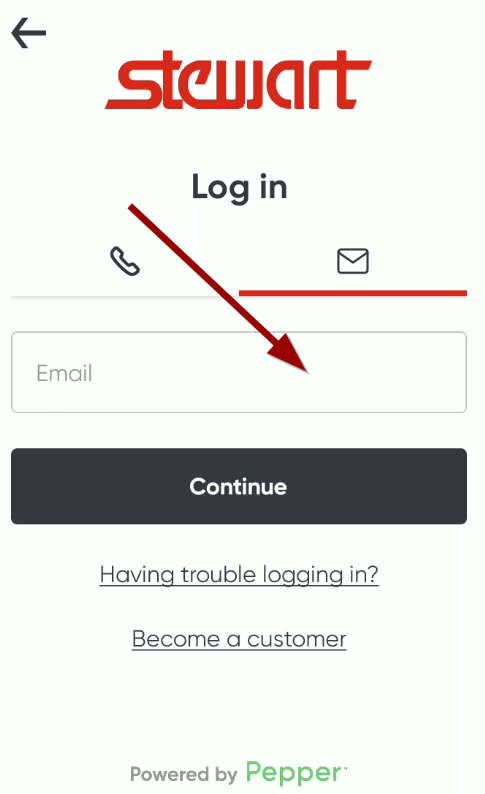 |
| 4. Enter the code that was sent to you via text (SMS) or email. Click Continue. | 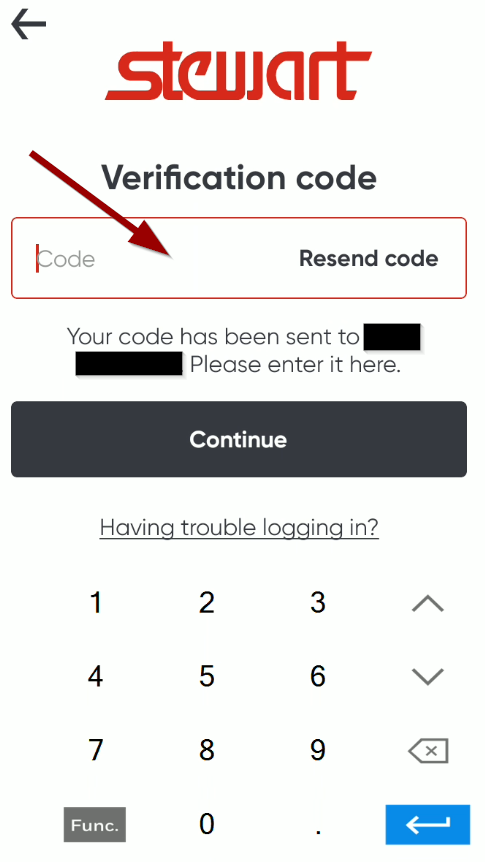 |
| 5. If your phone number or email address has been submitted by your manager or by Stewart Mobile App services, you are now logged into our ordering application. | |
Signing In to the Stewart Distribution App Print
Created by: Eddie Murray
Modified on: Wed, 11 Feb, 2026 at 10:16 AM
Did you find it helpful? Yes No
Send feedbackSorry we couldn't be helpful. Help us improve this article with your feedback.