
 | |
| To add an employee to the Pepper app: 1.Open the Stewart Pepper application and click on the account listing at the top of the screen. | 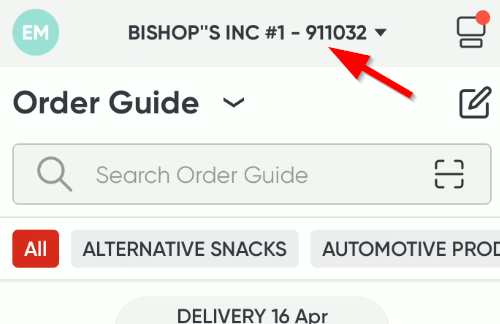 |
| 2. Slide the account to the left and select the Yellow Block "Manage Account". | 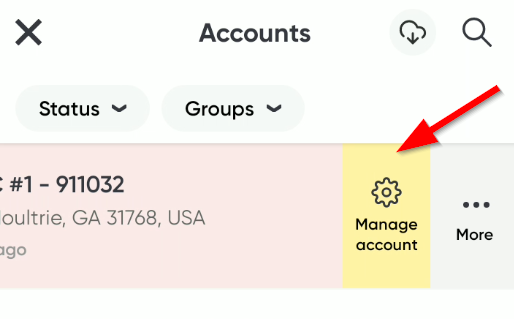 |
| 3. On the customer information screen, select the people icon | 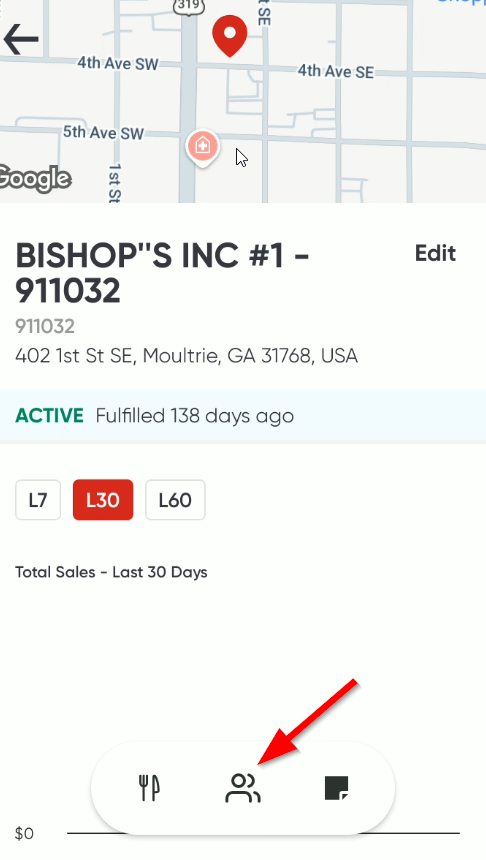 |
| 4. Select "add employee" | 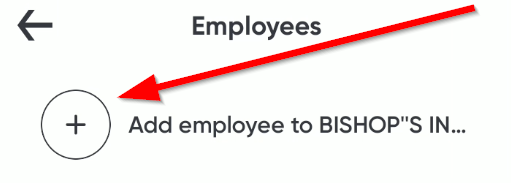 |
| 5. Fill out information for employee: - Name - Mobile number (if using Phone for MFA) - Login email (if using email address for MFA) - Communication email (Confirmation email address) *DO NOT SELECT ADMIN ACCESS* | 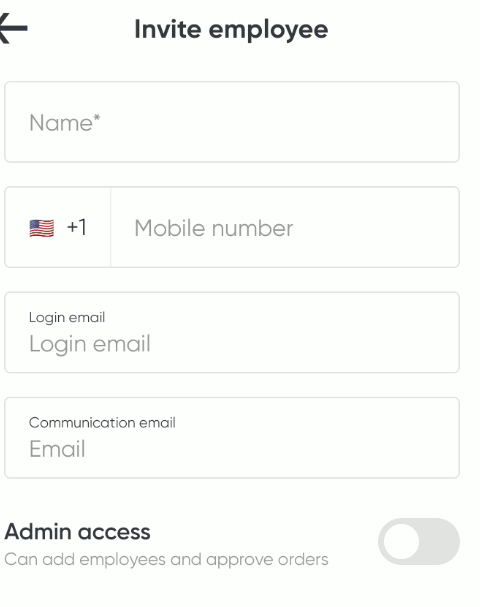 |
| 6. Make sure for the Manager/Inventory Specialist user to allow credit request notifications/emails. - Go to manage account - Select the employees tab (people image). - Click on the user account of the person who should receive the credit emails. - Click on Notifications bar. - Under Notifications: - Make sure that the "New Credit Requests" slider is in the green. | 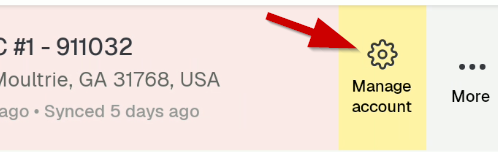 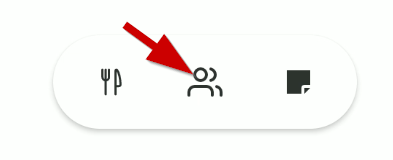 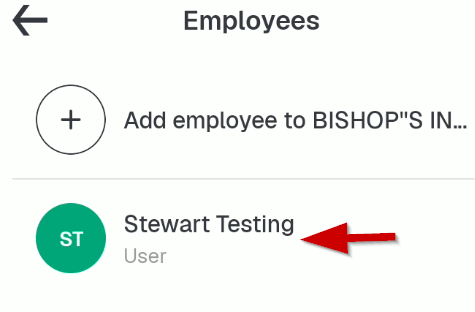 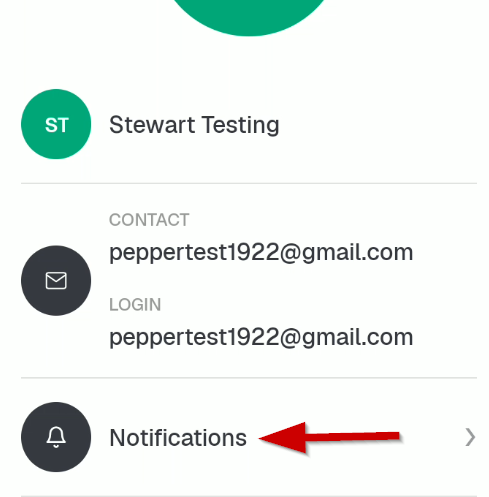 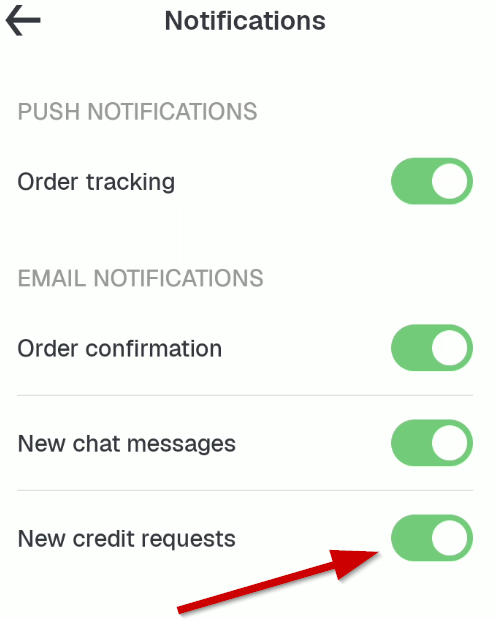 |
| 7. Click invite employee. *Note* if an employee needs access to more than one location, the employee must be added to each store individually. | |
Adding an Employee to Pepper Application Print
Created by: Eddie Murray
Modified on: Mon, 6 Jul, 2026 at 11:32 AM
Did you find it helpful? Yes No
Send feedbackSorry we couldn't be helpful. Help us improve this article with your feedback.