
| Screen Touch Adjustment | |
| 1. Scroll up at the main screen and select Settings | 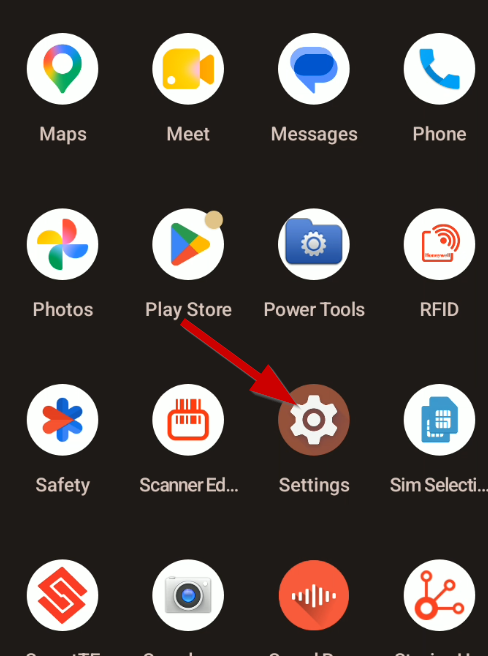 |
| 2. Select Honeywell Settings | 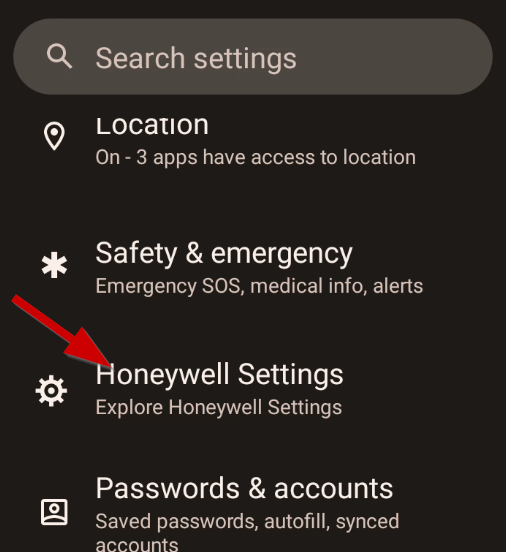 |
| 3. Once inside Honeywell Settings, scroll down until you see Touch Screen Profile | 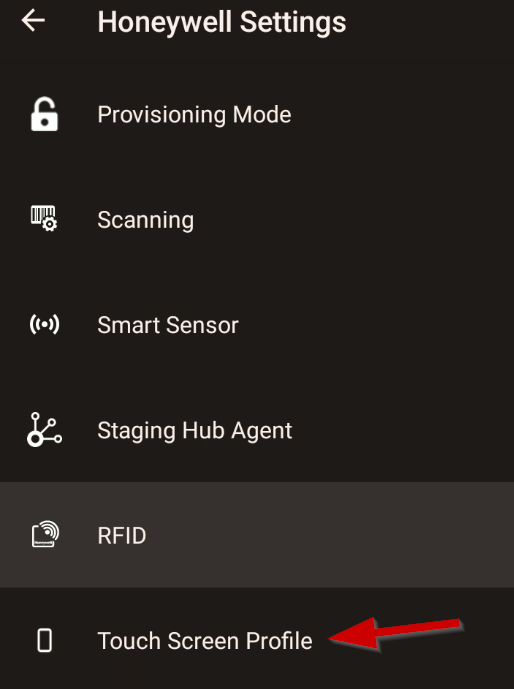 |
| 4. Select "Finger Enhance Mode" | 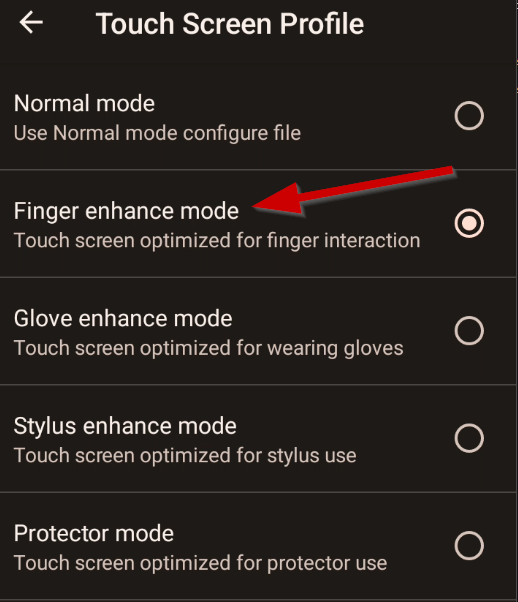 |
 | |
Touchscreen Calibration on Honeywell CT60 Devices Print
Created by: Eddie Murray
Modified on: Tue, 20 Oct, 2026 at 9:45 AM
Did you find it helpful? Yes No
Send feedbackSorry we couldn't be helpful. Help us improve this article with your feedback.